
Ahead of MSP Index Sydney, DIY-ERP CEO Kris Manché explains why so many automation projects lock in the problems they were meant to solve, and what to check before you start.
One of the great opportunities for MSPs to support their clients in the modern age is with automation, from how purchases get approved to how customers are billed, or stock is tracked. The technical minefield nipping at your heels comes from automating a process you didn’t design, described by people who can no longer see its faults. However, your client works today, workarounds included, is what gets built.
The Problem
Most automation projects begin with the exact same client instruction: “Here’s how we do it, please make it faster.”
Nobody stops to ask whether the way they do it is right. The result is a shiny new system that runs the old problems at breakneck speed.
Kris Manché, CEO of DIY-ERP, has seen this across more than 400 Business Central implementations and 70 recovery projects. He speaks with authority when he points out the fatal flaw in most briefs: “Over-customisation encourages historical bad habits to be brought forward into a modern system.”
That habit is incredibly expensive for the client, and a scope-creep nightmare for the MSP. By Kris’s count, around 40 per cent of a traditional implementation budget is wasted on custom changes the business never actually needed. Conversely, less than 10 per cent goes toward training people to use the system they’ve just bought.
That means businesses are spending four times as much money rebuilding their old way of working as they are learning a better one.
Why It Happens
Nobody sets out to automate a bad process. It happens because the people asking for the automation have lost touch with how the current process was built. Four things keep it hidden.
- Workarounds become routine: A messy fix built for a one-off problem years ago becomes standard procedure. Today, nobody remembers it was just a band-aid.
- The brief is inherently flawed: As a technology provider, you are paid to build what the client asks for. If their baseline is broken, your build will be too.
- The "experts" are compromised: The people who know the current system best are the ones who built the workarounds. They know the old way, so the old way is what gets specified.
- Code is easier than confrontation: Asking a client's team to change how they work requires difficult conversations. Hard-coding their bad habits into a new system avoids the friction, at least temporarily.
What It Looks Like
This pattern is easiest to spot in everyday finance and operations tasks. In each case, automation speeds up the step but further entrenches the blind spots:
- The Single Bottleneck: Every request waits for the exact same manager's sign-off, regardless of its value. Automating the request speeds up the queue, but keeps the bottleneck intact.
- The "Catch-All" Cost: Expenses are filed into broad, catch-all categories instead of against the specific job or customer that caused them. Automating this locks in the blind spot—the business still can’t tell which work actually makes money.
- The Double-Entry Drift: Teams re-enter data because their legacy systems don’t talk to each other. Automating the transfer keeps two versions of the truth in sync, right up until they quietly drift apart and break.
How MSPs Can Spot a Workaround Before Automating It
Workarounds look like standard operating procedures until someone asks why they’re there. Before you scope or automate any client process, run it through these four questions:
- Why does this step exist? If nobody can name the problem it solves, or that problem no longer exists, it’s a workaround.
- Is it fixing an upstream mistake? Checking, correcting, or re-entering someone else’s work means the real problem sits earlier in the pipeline. Fix it there.
- Does it depend on one person? If a step completely halts when a specific employee goes on leave, it isn’t a process yet.
- Is it truly unique to this business? Paying bills, approving purchases, and invoicing customers work much the same everywhere. A step that deviates from the industry standard needs a strong business justification.
A Different Starting Point
DIY-ERP reverses the usual, error-prone order of implementations to protect both the client and the MSP.
On day one, your client starts in a fully configured, enterprise-grade Business Central environment. The chart of accounts, financial structure, and core processes for their specific industry are already in place. Everything is structured, tested, and aligned to best practice, drawn from the data of over 400 successful implementations.
From there, the environment is refined by exception. Your client keeps what fits, removes what doesn’t, and is forced to justify every exception or add-on. It eliminates the bad habits before the automation even begins.
Hear Kris Manché at the Sydney MSP Index 2026
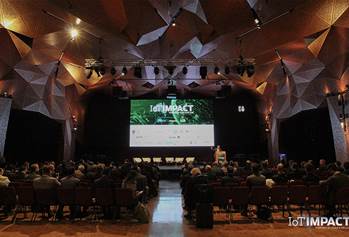
Want to stop automating your clients' bad habits? Catch Kris Manché speaking at the Sydney MSP Index 2026 on Thursday, 3rd December at Doltone House Jones Bay Wharf. Connect with the DIY-ERP team on the day to learn how to deploy enterprise-grade Business Central environments without the traditional implementation headaches.